

Takabet Login and Alternative Mirror Links: Official Access and Connection Security
Maintaining continuous, secure access to your gaming account is vital for tracking active cricket wagers, participating in live dealer tables, and managing financial balances. In Bangladesh, however, accessing international gaming platforms via standard web addresses can occasionally present challenges. Internet service providers (ISPs) periodically restrict access to specific primary domain names, leading to temporary connection timeouts, DNS resolution errors, or confusing blank screens for everyday users.
To maintain reliable service, operators maintain a network of verified official alternative mirror domains. A mirror domain is an exact, synchronized duplicate of the main platform that connects to the identical secure database, allowing players to log in with their existing credentials, access their full real-money balance, and continue playing without disruption.
This comprehensive guide explains how to access the official portal safely, how alternative mirror links function, how to distinguish legitimate mirrors from fraudulent phishing replicas, and how to resolve common login errors quickly.
Official Login Procedure: Desktop and Mobile Web
Logging into your account requires following standard security procedures to ensure your credentials are encrypted during transmission across public and mobile networks:
Standard Login Steps
- Launch your preferred, updated web browser (such as Google Chrome, Mozilla Firefox, or Apple Safari) on your smartphone, tablet, or desktop computer.
- Navigate to the verified platform address or active mirror link provided through our Takabet Platform Overview.
- Locate and tap the Login or Sign In button, typically positioned in the upper-right corner of the homepage.
- Enter your registered Username (or registered mobile phone number depending on your initial profile configuration).
- Type your account Password carefully, paying close attention to uppercase and lowercase letters.
- If prompted, complete the visual verification captcha (such as sliding an image puzzle piece into place or entering a 4-digit numeric code displayed on screen) designed to block automated bot access.
- Tap the Log In button to submit your credentials and access your player dashboard.
Understanding Alternative Mirror Links: How They Work
Many players feel apprehensive when directed to an alternative web address with a slightly different numeric or letter prefix (e.g., transitioning from a primary URL to an alternative mirror). Understanding the underlying network architecture helps alleviate these concerns:
Shared Core Database and Backend Servers
An official alternative mirror is not an independent website or separate company. It is simply a different front-end digital doorway that leads to the exact same centralized database. The database, player balances, betting histories, active promotions, and gaming servers run on identical secure server clusters. When you log in through a verified mirror, your username, password, VIP rank, and financial balances remain 100% identical.
Why Mirror Links Are Necessary in Bangladesh
In Bangladesh, local telecommunications authorities and internet service providers periodically implement Domain Name System (DNS) filtering to block access to specific domain names. By maintaining authorized mirror domains with rotating server IP addresses and alternative URL structures, the operator ensures that players can always connect to their accounts without needing complex technical workarounds or risky virtual private networks.
Security Verification: Distinguishing Official Mirrors from Phishing Sites
Because alternative mirror links exist, malicious cybercriminals occasionally construct fraudulent "phishing" replicas designed to steal usernames, passwords, and personal financial credentials.
Before typing your login credentials into any new mirror link, always perform the following three essential security checks:
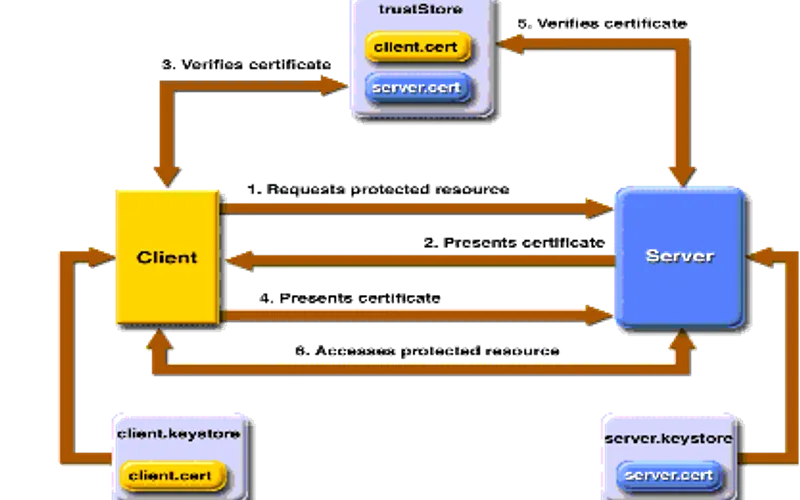
Inspect the SSL/TLS Encryption Certificate
Every legitimate gaming portal is protected by modern Transport Layer Security (SSL/TLS) encryption. Look at your browser’s address bar:
- Verify that the URL begins with
https://(the "s" stands for secure) rather than plainhttp://. - Click or tap the padlock icon located to the left of the web address.
- Check the security certificate details. A legitimate mirror will display a valid, active security certificate issued by a globally recognized Certificate Authority (such as Cloudflare, Let's Encrypt, or DigiCert), confirming that data in transit is encrypted with 256-bit protection. If your browser displays a red warning stating "Connection Not Secure" or "Certificate Invalid," exit the page immediately.
Test Password Autofill Recognition
If you use a secure password manager (such as Google Password Manager, Apple Keychain, or Bitwarden), your device automatically recognizes authorized domains. While a brand-new mirror domain may not be immediately saved in autofill, you should never enter your credentials if the website layout looks distorted, contains broken image links, or features grammatical errors that do not match the official platform.
Check Live Chat and Account Balance Consistency
If you connect through a new link and feel uncertain:
- Open the live chat window before logging in. Test whether a representative responds in fluent Bengali or English matching the standard customer service team described in our Customer Service Guide.
- Upon logging in, immediately verify your account balance and transaction history. A fraudulent phishing mirror cannot display your true live gaming balance or recent betting records. If your balance displays as zero or your account history is blank, change your password immediately from a secure connection.
Resolving Common Login Issues and Error Messages
If you encounter difficulties logging into your account, consult the troubleshooting guide below to identify and fix the underlying technical cause:
"Incorrect Username or Password" Error
This is the most common login error and is almost always caused by a minor typographical mistake:
- Check Caps Lock: Passwords are case-sensitive. Ensure that Caps Lock is disabled on your keyboard or smartphone.
- Remove Accidental Trailing Spaces: If you copy and paste your password from a digital note or messaging app, ensure you did not accidentally copy a blank space before or after the text string.
- Try Your Mobile Number: If you cannot remember your alphanumeric username, try entering your registered Bangladeshi mobile number (with or without the leading zero) in the username field.
- Initiate Password Reset: If you are certain your password is forgotten, click the Forgot Password? link located below the login fields. Follow the step-by-step instructions in our dedicated Forgot Password Recovery Guide to receive an SMS verification code and create a new passcode.
"Account Locked Due to Multiple Failed Attempts"
To protect player accounts against automated brute-force password guessing attacks, systems automatically lock accounts after five consecutive incorrect password submissions. If your account is locked:
- Do not continue attempting to log in repeatedly, as this resets the lockout timer.
- Wait 15 to 30 minutes for the automated temporary security lock to expire.
- Alternatively, reach out directly to customer support via live chat. You will be asked to verify your identity by confirming your registered mobile number and National ID details, after which an agent can unlock your profile manually.
"Access Restricted in Your Region / Geo-Block" Warning
If you see an error stating that the website is not available in your location, it is almost always because a Virtual Private Network (VPN) or proxy application is active on your device.
- VPNs frequently route internet traffic through international servers (such as the United States, Singapore, or the United Kingdom) where international gaming operators may restrict connections due to local licensing laws.
- Open your smartphone or computer settings, locate your VPN app, and disconnect the VPN completely.
- Clear your mobile browser cache, refresh the page using standard Bangladeshi mobile data or broadband, and attempt to log in again.
Slow Loading or Blank White Page
If the website begins loading but hangs indefinitely or displays a blank screen:
- Clear Browser Cache and Cookies: Outdated cached files stored in your web browser can conflict with newly deployed server assets. Open your browser settings, clear cached images and files, and reload the page.
- Switch DNS Resolvers: Some local internet providers experience sluggish DNS routing. Switching your smartphone's Private DNS setting to Google Public DNS (
8.8.8.8) or Cloudflare DNS (1.1.1.1) often restores instant connectivity. - Use the Mobile Application: If mobile browser access continues to present connection bottlenecks, install the official software package directly using our Mobile Application Guide. The dedicated mobile app bypasses browser caching issues and connects directly to secure operational endpoints.
Account Security Best Practices
Securing your login portal is essential for protecting your personal financial balances:
- Never Save Passwords on Shared Devices: If you access your account from an internet cafe, a shared family computer, or a friend’s mobile phone, never permit the browser to save your login credentials, and always log out manually when concluding your session.
- Do Not Share Account Credentials: Never share your login information with anyone claiming to be a "betting agent," "pundit," or "account booster." Sharing credentials violates platform terms and leaves your balance vulnerable to theft.
- Log In Exclusively Through Verified Channels: Keep our Takabet Platform Directory bookmarked on your device so you always have direct access to verified, secure connection links.
- Maintain Personal Limits: Secure access should always be paired with self-discipline. Review our Responsible Gaming Policy to ensure your gaming sessions remain balanced, safe, and controlled.