
Takabet Customer Service Guide: 24/7 Live Chat, Telegram Support, and Problem Resolution
When participating in real-money sports betting or digital casino entertainment, prompt, competent customer service is not a luxury—it is an absolute necessity. Whether you need clarification on a complex cricket match settlement under rain rules, require immediate assistance with an uncredited bKash deposit, or are navigating identity verification for a large withdrawal, having direct access to responsive, professional customer support representatives can make the difference between a smooth resolution and days of unnecessary frustration.
For players in Bangladesh, language clarity and regional awareness are especially critical. A customer service desk that relies on clunky automated translation software or lacks understanding of local Mobile Financial Services (MFS) will struggle to resolve payment queries efficiently.
This comprehensive guide, authored by our consumer service research desk, details how to access and utilize Takabet’s official customer support channels. We examine live web chat availability, evaluate official Telegram help channels, provide response time benchmarks, outline how to format inquiries for rapid resolution, and present vital security warnings against fraudulent support impersonators.
Official Support Channels: Availability and Contact Methods
Takabet maintains several dedicated communication channels tailored to different types of inquiries, ranging from urgent live payment checks to formal account verification reviews:
24/7 Live Web Chat (Primary Channel)
The real-time live chat widget embedded directly into the website and mobile application is the primary conduit for player support:
- Operating Hours: 24 hours a day, 7 days a week, 365 days a year.
- Supported Languages: Fluent Bengali (বাংলা) and English.
- Average Response Latency: Under normal operating conditions, an automated routing bot connects you with an actual human representative within 30 to 90 seconds.
- Best Used For: Immediate assistance with pending deposit Transaction IDs (TrxID), delayed withdrawal status checks, quick password resets, and game rule questions.
Official Telegram Help Desk
Telegram is extensively utilized across Bangladesh for private, encrypted messaging. The platform maintains official Telegram customer service channels to provide backup communication if a player experiences web connection difficulties:
- Verified Official Telegram Handle: Accessible directly through the verified link on the platform's homepage or mobile app footer.
- Operating Hours: 24/7 monitoring by dedicated regional community managers.
- Best Used For: Mobile application installation troubleshooting, receiving updated alternative mirror domain links, and general inquiries when website access is temporarily restricted by local ISPs.
Official Email Support
For formal administrative matters, complex account disputes, or corporate verification requests:
- Customer Inquiries Email:
[email protected](or the specific official email address displayed in the platform footer). - Dispute and Verification Email:
[email protected] - Average Response Time: Formal email submissions are reviewed and answered within 12 to 24 business hours.
- Best Used For: Submitting high-resolution identity verification documents (KYC), reporting complex technical software glitches, or escalating unresolved cashier disputes.
Step-by-Step: How to Initiate a Live Chat Session
To connect with a customer service representative quickly and navigate the automated greeting menu effectively, follow this procedure:
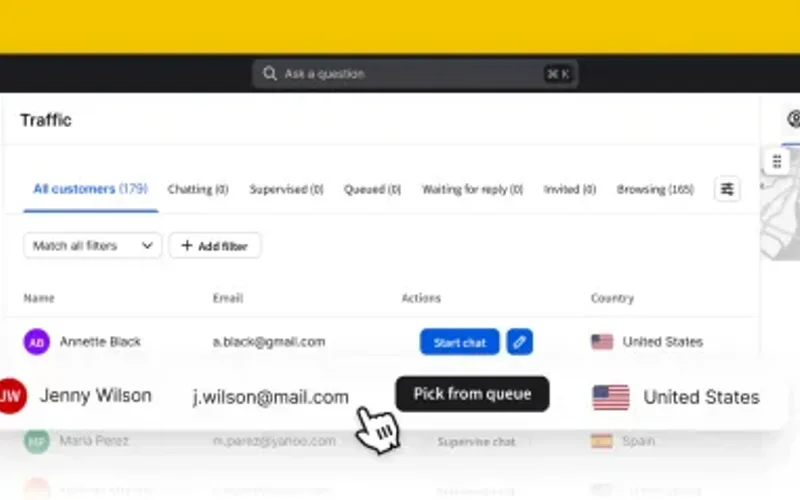
Step 1: Launching the Chat Interface
- Open your web browser or launch the Takabet Mobile App.
- Locate the floating Live Chat icon, typically positioned in the lower-right corner of your screen (depicted as a speech bubble or headset icon).
- Tap the icon to open the encrypted support window.
Step 2: Navigating the Automated Pre-Chat Menu
Modern customer service portals utilize a lightweight automated routing menu to direct your inquiry to the appropriate department:
- Enter Your Basic Details: You will typically be prompted to input your registered Username and select your preferred communication language (Bengali or English).
- Select Your Inquiry Category: Choose the specific topic that matches your issue from the menu options:
- Deposit Issues (bKash / Nagad / Rocket)
- Withdrawal Status and Turnaround
- Promotions, Vouchers, and Bonus Turnover
- Account Verification (KYC) and Password Recovery
- Game Rules and Sports Bet Settlements
- Selecting the correct category routes your conversation directly to a specialized agent, bypassing general support queues.
Step 3: Connecting with a Human Representative
- After selecting your category, the automated system will place you in the live agent queue. A notification will display your queue position (e.g., "An agent will be with you shortly. Queue position: 1").
- Within 60 to 90 seconds, a human representative will enter the chat room, greet you by name in your selected language, and invite you to describe your concern.
How to Format Inquiries for Instant Resolution
The speed with which customer support can resolve your issue depends heavily on the clarity and completeness of the information you provide in your opening message. Vague statements like "My deposit didn't come" or "Help, my account is locked" force the agent to ask multiple clarifying questions, prolonging the interaction.
Follow these proven inquiry templates to ensure immediate resolution:
Template 1: For a Delayed bKash or Nagad Deposit
Provide all transaction details in your very first message:
"Hello. I completed a bKash deposit of 2,500 BDT 20 minutes ago, but the funds have not yet reflected in my gaming balance.
Username: [Your Username]
Deposit Amount: 2,500 BDT
Recipient bKash Number: 01XXXXXXXXX
Sender bKash Number: 01XXXXXXXXX
Transaction ID (TrxID): [Your 10-Digit TrxID]
I have attached an uncropped screenshot of my bKash transaction confirmation receipt below. Please verify and credit my balance."
Result: The agent can immediately copy your TrxID, check the operator's receiving bank ledger, match the transaction, and credit your balance in under three minutes without needing to ask additional questions.
Template 2: For a Pending Withdrawal Past 30 Minutes
"Hello. My Nagad cashout request has been pending for over 45 minutes.
Username: [Your Username]
Withdrawal Order ID: #123456
Requested Amount: 5,000 BDT
Recipient Nagad Number: 01XXXXXXXXX
My 1x deposit turnover is complete, and no bonuses are active. Could you please check the disbursement queue status?"
Result: The agent can pull up the exact order in the cashier backend and expedite the release if it was delayed in a routine queue.
Template 3: For Disputed Cricket Bet Settlement
"Hello. I placed a wager on the BPL match between Comilla Victorians and Fortune Barishal that was settled as a loss, but I believe the DLS revised target was calculated incorrectly.
Username: [Your Username]
Bet Slip ID: #BET-987654
Market: Match Winner
According to the official BCB match scorecard, the match was decided by Duckworth-Lewis-Stern method in favor of the team I backed. Please escalate this slip to the sportsbook settlement team for review."
Critical Security Warnings: Avoiding Support Impersonator Scams
Because customer service handles financial inquiries, cybercriminals frequently attempt to impersonate platform support staff on social media platforms like Telegram, Facebook, and WhatsApp.
Protect your account balance by observing these non-negotiable security rules:
Customer Support Will Never Ask for Your Wallet PIN
Under no circumstances will a legitimate customer service agent, cashier manager, or technical administrator ask you to provide:
- Your 5-digit bKash PIN or 4-digit Nagad PIN.
- Your mobile SMS One-Time Passcode (OTP) sent by your bank or wallet.
- Your platform account password.
- Credit or debit card security codes (CVV).
Anyone who asks for this information is a fraudulent impersonator attempting to steal your personal funds.
Legitimate Support Will Never Initiate Private Unsolicited Messages
Official customer service representatives will never message you first on Telegram, WhatsApp, or Facebook offering "private VIP deposit bonuses," "fast withdrawal clearing for a fee," or "exclusive insider cricket tips."
- If you receive an unsolicited direct message from an account using the platform's logo or claiming to be an administrator, block and report the user immediately.
- All official communications should be initiated by you directly through the encrypted live chat widget on the verified website or mobile application.
Never Send Money to Numbers Provided in Chat Conversations
Legitimate deposits must be initiated exclusively through the official cashier portal as detailed in our bKash Deposit Guide. A customer service agent will never type a private mobile number into a live chat window and instruct you to send money directly to it. If an agent does this, you may be communicating with an unauthorized copy or compromised portal.
Escalation Pathways: What to Do If Your Issue Remains Unresolved
While the vast majority of routine inquiries are resolved smoothly by front-line live chat staff, complex disputes can occasionally hit a communication deadlock:
- Request Senior Escalation: If a front-line agent provides repetitive, scripted replies that do not address your specific issue, politely request: "Could you please escalate this ticket to a senior shift supervisor or compliance manager?" Senior supervisors hold higher administrative permissions to override automated holds.
- Submit a Formal Email Ticket: If live chat fails to resolve the issue, compile all transaction screenshots, chat logs, and player IDs into a formal email sent to
[email protected]. Written email tickets generate permanent tracking numbers that require formal internal review. - Utilize Independent Third-Party Mediation: If an operator wrongfully withholds verified winnings, cancels bets unfairly, or refuses to communicate for more than 48 hours, submit your case to our Player Dispute Resolution Desk. Our independent compliance analysts can review your evidence, contact operator management directly, and assist in mediating an objective resolution.