
Takabet bKash Deposit Guide: Step-by-Step Wallet Funding Tutorial
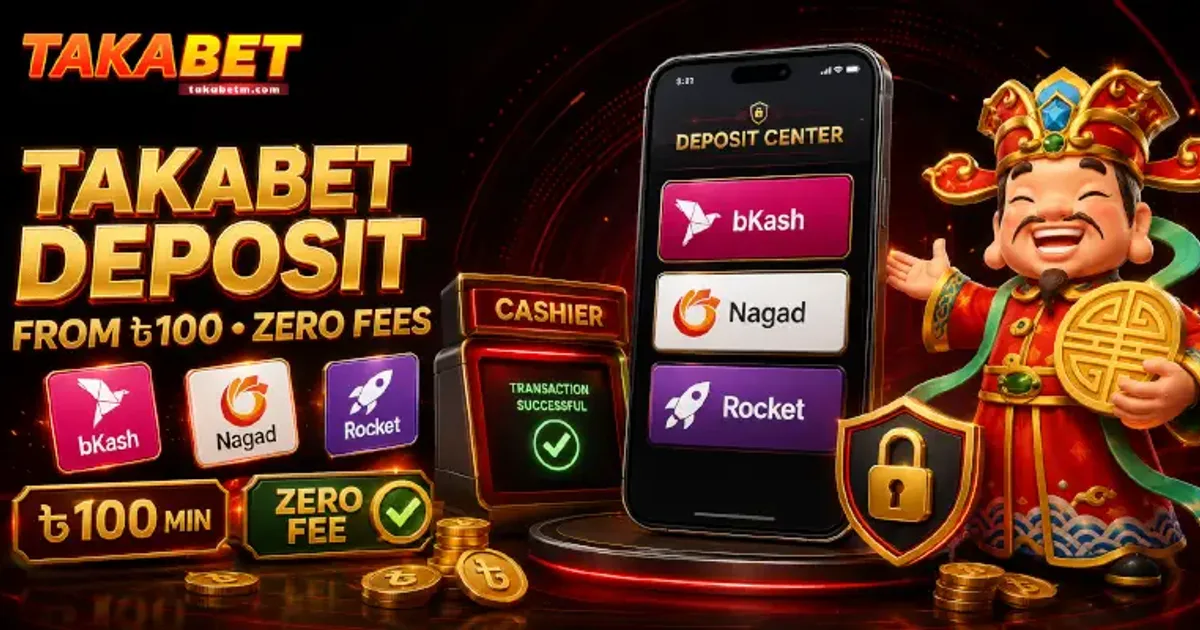
In Bangladesh, bKash is the indisputable leader in mobile financial services (MFS). With over seventy million active accounts across the country, it is the primary financial conduit for millions of citizens managing everyday retail purchases, bill payments, and digital entertainment transactions. When participating in sports betting or live casino gaming on Takabet, understanding how to fund your account securely and efficiently using your personal bKash wallet is vital.
While the deposit process is straightforward, minor errors—such as transferring funds to an expired agent number, mistyping a single digit of the 10-character Transaction ID (TrxID), or attempting to transfer from an unverified third-party account—can cause frustrating crediting delays.
This comprehensive empirical guide, authored by our payment research desk, walks you through the entire bKash deposit workflow. We explain the difference between automated merchant gateways and manual transfers, detail exact step-by-step cashier procedures, analyze processing timeframes, explain fee structures, and provide actionable troubleshooting guidance if a transaction does not credit automatically.
Pre-Deposit Requirements: Preparing Your bKash Wallet
Before initiating a deposit request in the gaming cashier, verify that your mobile wallet is prepared to ensure an uninterrupted transaction:
Active Personal bKash Account
Ensure that your personal bKash account is fully registered, active, and operating with a valid National ID (NID) verification. Never attempt to make deposits using a temporary SIM card or an unregistered wallet. Furthermore, ensure that the registered name on your bKash wallet matches the name on your gaming account profile to prevent automated security flags.
Sufficient Available Balance
Verify that your bKash wallet has an available balance equal to your intended deposit amount plus any minor standard carrier or network transaction charges. Minimum deposit thresholds for bKash on Takabet typically start at 500 BDT, with maximum single-transaction limits reaching up to 25,000 BDT depending on your active VIP tier level.
Updated bKash Mobile Application
While USSD dialing (*247#) remains functional across all mobile networks, we strongly recommend using the official bKash mobile application for Android or iOS. The app provides a clear visual interface, allows you to easily copy the 10-digit Transaction ID with a single tap, and stores downloadable digital transaction receipts that serve as vital proof of payment if manual verification is required.
The Two Deposit Modalities: Automated Gateways vs Manual Transfers
Depending on platform traffic, server updates, and banking gateway availability, funding your account via bKash will follow one of two technical modalities:
Automated Payment Gateway (Direct Checkout)
In the automated gateway method, selecting bKash in the platform cashier opens an integrated payment window directly on your screen:
- You enter your 11-digit bKash mobile number.
- The automated gateway generates a 6-digit verification code sent to your phone via SMS.
- You input the verification code and enter your personal bKash PIN within the secure gateway interface.
- The system executes the transfer automatically, debits your wallet, and credits your gaming balance instantaneously (typically within 5 to 30 seconds) without requiring you to manually copy and paste a Transaction ID.
Manual Wallet Transfer (Send Money or Cash Out)
The manual transfer method is the most widely utilized method across South Asian gaming platforms to maintain high transaction availability:
- The cashier displays an active, temporary bKash wallet number (typically designated as an "Agent" or "Personal" recipient).
- You open your own bKash application, perform a manual transfer to that specific recipient number, and complete the transaction.
- You copy the unique 10-character Transaction ID (TrxID) generated by bKash.
- You return to the gaming cashier, paste the TrxID into the designated field, confirm the exact transferred amount in BDT, and submit the request.
- An automated verification scanner or cashier representative matches your TrxID against incoming bank statements, crediting your balance within 2 to 10 minutes.
Step-by-Step Manual bKash Deposit Walkthrough
Because the manual transfer method involves multiple steps across two applications, follow this precise procedure to eliminate errors:
Step 1: Initiating the Request in the Cashier
- Log in to your verified account via the official portal or Takabet Mobile App.
- Tap the Deposit button located prominently in the top header or within your account profile menu.
- Select bKash from the list of supported payment channels.
- Choose the transfer channel indicated on screen (pay close attention to whether the cashier specifies bKash Agent (Cash Out) or bKash Personal (Send Money)).
- Select or type your intended deposit amount in Bangladeshi Taka (e.g., 1,000 BDT, 2,500 BDT, or 5,000 BDT).
- Select any active promotional welcome bonus or reload offer you wish to activate from the drop-down menu, or choose "No Bonus" if you prefer to play without turnover restrictions.
Step 2: Copying the Recipient Wallet Number
- The cashier interface will generate a temporary deposit slip displaying the operator's current bKash recipient phone number.
- Crucial Rule: Tap the Copy button directly next to the phone number. Never type the number manually into your phone, as transposing a single digit will send your funds to an unintended third-party individual, resulting in permanent financial loss.
- Keep the cashier window open in your browser or background app. Do not refresh or close the page.
Step 3: Completing the Transfer in Your bKash App
- Open your official bKash mobile application on your smartphone and log in with your PIN.
- Tap Send Money (if the cashier specified a personal number) or Cash Out (if the cashier specified an agent number).
- Paste the copied recipient number into the recipient field.
- Enter the exact amount in BDT that you specified in the gaming cashier in Step 1. (If you requested a deposit slip for 2,000 BDT, transfer exactly 2,000 BDT; sending an inconsistent amount like 1,950 BDT or 2,050 BDT will cause automated verification to fail).
- Tap the arrow to proceed, review the transaction summary, enter your personal bKash PIN, and Tap and Hold to complete the transaction.
Step 4: Capturing and Submitting the Transaction ID (TrxID)
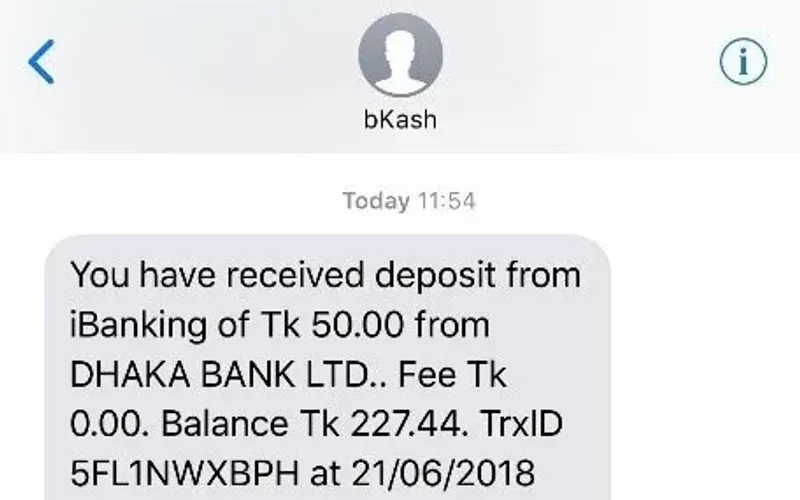
- Upon successful transfer, bKash displays a confirmation screen showing the completed transaction.
- Locate the Transaction ID (a 10-character alphanumeric code, such as
BK9A8F72D1). Tap the copy icon next to the TrxID to save it to your clipboard. - Take a clear, uncropped screenshot of the confirmation screen and save it to your photo gallery for your personal records.
- Return to the open Takabet cashier deposit slip in your browser or gaming app.
- Paste the 10-character TrxID into the designated "Transaction ID" input box.
- Enter your sender bKash phone number (the phone number from which you just sent the funds).
- Tap the Confirm Deposit or Submit button.
Understanding Crediting Times and Transaction Queues
Once your TrxID is submitted, the system initiates an automated verification matching sequence:
- Standard Processing Time: Under normal operating conditions, funds reflect in your playable gaming balance within 2 to 5 minutes.
- Peak Period Queues: During major sporting events (such as high-profile BPL or IPL matches, or tournament finals), thousands of players submit deposits simultaneously. During these peak windows, manual queue matching can occasionally take between 10 to 20 minutes.
- Zero Crediting Deduction: The operator does not deduct any processing fee from your deposit. If you transfer 2,000 BDT via bKash, your playable gaming balance will be credited with exactly 2,000 BDT.
Troubleshooting Uncredited Deposits and Common Errors
If your bKash transfer has been completed in your wallet app but does not reflect in your gaming balance after 15 minutes, follow these practical troubleshooting steps:
Check for TrxID Typographical Errors
The most common cause of crediting delay is submitting an incorrect Transaction ID.
- Alphanumeric TrxIDs contain easily confused characters, such as the numeral zero (
0) versus the uppercase letterO, or the numeral one (1) versus the uppercase letterI. - Always use your phone's digital "Copy" feature rather than manually typing the code.
- If you realize you entered an incorrect TrxID, do not panic. Contact live customer support immediately.
Gathering Your Evidentiary Proof
Before reaching out to customer service, prepare the required documentation:
- Your registered gaming username and numerical player ID.
- The exact date, time, and BDT amount of the transfer.
- The recipient bKash number copied from the cashier slip.
- The full 10-character Transaction ID (TrxID).
- A clear, uncropped screenshot of your bKash app transaction confirmation or SMS statement.
Contacting Live Support for Manual Crediting
- Open the official live chat window via our Customer Service Guide.
- Select Deposit Inquiry from the automated routing options.
- Type a clear, polite message: "Hello, I completed a bKash deposit of 2,000 BDT 15 minutes ago, but the funds have not yet reflected in my balance. My TrxID is BK9A8F72D1. Here is my transaction receipt screenshot."
- Upload your screenshot. An agent will manually inspect the operator’s receiving bank ledger, verify the incoming payment, and credit your balance within 3 to 5 minutes.
Financial Security and Scams to Avoid
Because bKash transactions are irreversible once completed, you must exercise strict vigilance:
Never Send Money to Numbers Found Outside the Official Cashier
Never send money to bKash numbers provided in Telegram groups, Facebook comments, WhatsApp chats, or personal messages by individuals claiming to be "official Takabet agents" or "cashier staff." The operator's active receiving numbers are displayed exclusively inside the encrypted cashier portal at the moment you initiate a deposit. Numbers rotate frequently; always generate a fresh deposit slip every single time you fund your account.
Protect Your bKash Wallet PIN
Under no circumstances will Takabet customer service, live chat agents, or dispute mediators ever ask for your 5-digit bKash personal PIN or SMS verification codes (OTP). Your PIN belongs solely inside your official bKash app. Anyone requesting your PIN is attempting to steal your funds.
Practice Responsible Bankroll Management
Digital wallets make funding accounts almost instantaneous, which can tempt players into impulsive deposits. Always establish a firm monthly leisure budget, never deposit money required for household expenses, and consult our Responsible Gaming Policy to set daily deposit caps.