
Takabet Registration Guide: Account Opening, Phone Verification, and Onboarding
Opening an account on an online gaming and sports betting platform is the essential first step for any player. While the registration form itself is designed to be completed in just a few minutes using a smartphone or desktop computer, understanding account security, currency selection, phone number validation, and identity verification requires careful attention. Minor errors made during initial signup—such as typing mismatched personal names, entering incorrect mobile digits, or opening duplicate profiles—can lead to severe complications, frozen account balances, or rejected cashout requests later on.
This comprehensive guide walks you through the entire onboarding process for Takabet in Bangladesh. It covers everything from preparing your required credentials to entering valid verification codes, securing your password, avoiding common procedural pitfalls, and completing essential Know Your Customer (KYC) identity checks.
Pre-Registration Checklist: What You Need Before Creating an Account
To ensure your account creation proceeds smoothly without unexpected delays, assemble the following personal items before opening the registration window:
Active Bangladeshi Mobile Number
You must have access to an active personal mobile number registered with a licensed Bangladeshi telecommunications provider (such as Grameenphone, Banglalink, Robi, Airtel, or Teletalk). The platform uses this phone number to deliver critical SMS One-Time Passcodes (OTP) for account verification, password resets, and transaction confirmations. Never use temporary virtual numbers or online SMS reception services, as doing so will permanently lock you out of your account during subsequent security audits.
Legal Name Matching Official Identification
Ensure you know the exact legal spelling of your full name as it appears on your government-issued identification—such as your National Identity Card (NID), Smart NID, international passport, or driver’s license. The name registered on your gaming account must match this legal name exactly to pass automated anti-fraud checks when requesting cashouts.
Registered Personal Mobile Financial Wallet
You should own a personal mobile wallet account on bKash, Nagad, or Rocket that is registered under your own name and National ID. International gaming platforms operate strict Anti-Money Laundering (AML) protocols that prohibit third-party financial transfers. Depositing or withdrawing funds using an account registered under a friend, relative, or unverified third-party agent will lead to immediate transaction cancellation and account suspension.
Step-by-Step Account Opening Walkthrough
Follow this straightforward procedure to establish your verified player profile:
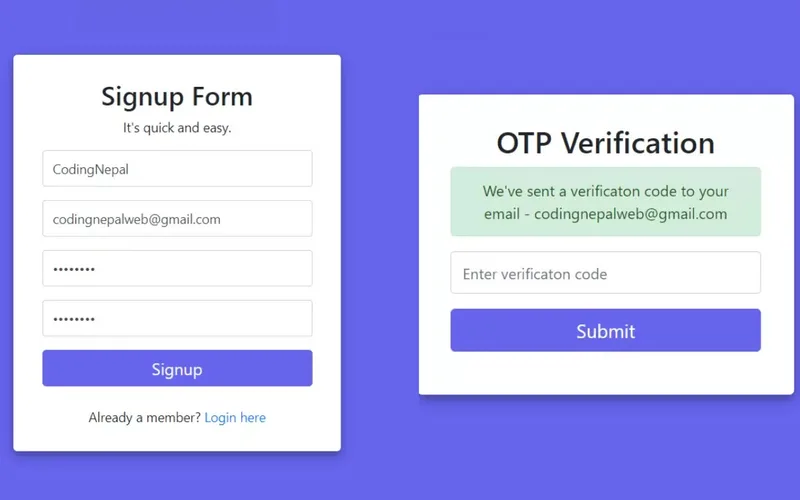
Accessing the Official Registration Portal
- Launch your preferred web browser on your smartphone or desktop computer.
- Navigate to the official platform portal via our verified Takabet Platform Directory or direct Login Mirror Access Guide.
- Locate and tap the Sign Up or Register button, prominently positioned in the upper-right corner of the homepage.
- The system will open an encrypted registration form protected by 256-bit SSL encryption.
Creating Your Login Credentials
- Choose a Unique Username: Create an account username containing between 4 and 15 alphanumeric characters (letters and numbers). Avoid using spaces, special symbols, or personally identifiable details (such as your full birth date or phone number) in your public username.
- Set a Strong, Secure Password: Establish a robust password containing a minimum of 8 to 20 characters, incorporating a blend of uppercase letters, lowercase letters, numbers, and special symbols (e.g.,
#,$,%). Never reuse passwords associated with your personal email, online banking, or social media accounts. - Confirm Your Password: Re-enter your password accurately in the confirmation field to avoid typographical errors.
Entering Contact Details and Currency Selection
- Select Account Currency: Confirm that your account currency is set to Bangladeshi Taka (BDT). Registering in BDT ensures that all future deposits and withdrawals through bKash and Nagad process without expensive foreign exchange deductions or conversion fees. For a complete breakdown of currency benefits, read our guide on BDT Currency Handling.
- Enter Your Mobile Phone Number: Input your 10-digit mobile number following the international country dialing prefix (
+880). Ensure the number is typed accurately without leading zeros (e.g., enter17XXXXXXXXif the country code is pre-selected). - Enter Referral or Promo Code (Optional): If you have a verified promotional voucher or friend referral code, enter it into the designated promotional field. You can explore current active options in our Takabet Promo Codes Guide.
Verifying Terms and Submitting the Form
- Review the platform's terms of service and tick the required confirmation box certifying that you are at least 18 years of age and agree to all operational policies.
- Review our Responsible Gaming Policy to understand personal boundary-setting before finalizing your registration.
- Tap the Submit or Complete Registration button at the bottom of the form.
- The system will process your details, generate your unique player ID number, and log you automatically into your new account dashboard.
Mobile Number SMS Verification (OTP) Protocol
Immediately after creating your profile, you will typically be prompted to verify your mobile phone number to activate full account capabilities:
- Navigate to your Account Profile or Security Center within the player dashboard.
- Tap Verify Phone Number.
- The automated server will send a 4-digit or 6-digit One-Time Passcode (OTP) via SMS to your registered mobile number.
- Check your phone’s messaging app, copy the verification code, and enter it into the on-screen field within the designated 5-minute countdown window.
- Tap Confirm. Once verified, your mobile number will display an active green verification checkmark, unlocking higher deposit limits and preparing your account for future withdrawals.
Troubleshooting Delayed SMS Codes
If your verification SMS does not arrive within 60 seconds:
- Ensure your phone has an active cellular signal and is not set to Airplane Mode.
- Check whether your smartphone's spam filter or truecaller app mistakenly intercepted the automated shortcode message.
- Wait for the 60-second cooldown timer to expire and tap Resend Code.
- If network congestion on your telecom operator continues to delay delivery, reach out to customer support via our Customer Service Guide to request manual code delivery.
Understanding Account Verification (KYC) Standards
All legitimate, internationally licensed gaming operators enforce Know Your Customer (KYC) identity verification procedures. While casual players can often deposit small amounts and begin playing immediately after mobile verification, full account verification is mandatory before processing substantial withdrawal requests.
Completing verification early prevents unexpected delays when you wish to withdraw funds:
Purpose of Verification
KYC protocols exist to comply with international anti-money laundering regulations, prevent identity theft, verify that all players meet the legal age of majority (18+), and ensure that individuals cannot operate multiple unauthorized accounts across the network.
Required Documentation
When requested by the compliance department, you will need to upload clear, uncropped color photographs or digital scans of:
- Proof of Identity: A valid government-issued photo ID (such as your National Identity Card / Smart NID, international passport photo page, or driver's license).
- Proof of Financial Ownership: A clear screenshot of your personal bKash or Nagad profile dashboard demonstrating that the wallet number and registered owner name match your gaming profile.
- Proof of Residential Address (Rarely Requested for Standard Accounts): A recent utility bill (electricity, water, or gas) or bank account statement issued within the past 90 days displaying your full legal name and current address.
Best Practices for Fast Document Approval
To ensure your documents are approved on the first submission without rejection:
- Take photographs in a well-lit room without camera flash reflections, glare, or heavy shadows across text fields.
- Ensure all four corners of the identity document are fully visible within the frame.
- Never submit black-and-white photocopies or altered digital files; submit original color photos taken directly with your smartphone camera.
- Verify that your name, date of birth, document number, and photograph are crisp, sharp, and easily legible. Verification reviews are typically completed within 12 to 24 hours.
Critical Rules: Avoiding Account Suspension
To maintain a secure, active account in good standing, strictly observe the following operational rules:
One Account Per Individual Policy
Operators strictly enforce a "One Account Per Person, Household, and Device" rule. Attempting to create multiple accounts to repeatedly claim new player welcome bonuses or referral incentives is considered severe bonus abuse. Automated security systems monitor device hardware fingerprints, IP addresses, and financial wallet numbers. If duplicate accounts are detected, the platform will permanently freeze all associated profiles and void any accumulated balances.
Complete Name Matching Across Banking
The legal name registered on your gaming profile must match the registered name on your bKash, Nagad, or Rocket account 100%. If an account holder named "Rahim Ahmed" attempts to cash out funds to a mobile wallet registered to "Karim Ahmed," the automated payment queue will reject the request and trigger a security audit that locks the cashier.
Prohibited Use of VPNs and Proxy Networks
Do not use Virtual Private Networks (VPNs) or proxy masking tools when registering or accessing your gaming account. VPNs route traffic through random international servers, which can make it appear as though you are logging in from restricted jurisdictions or sharing an IP address with known fraudsters, triggering automated account suspension. Always use standard local mobile data or your home Wi-Fi network.
Activating Your New Player Welcome Bonus
Once your account is open and verified, you can explore the available promotional welcome incentives before making your initial deposit:
- Navigate to the Promotions tab in the main menu or consult our comprehensive Promotions and Bonuses Directory.
- Review the specific terms of the 200% Welcome Bonus or sports free bet vouchers, noting the minimum qualifying deposit (typically 500 BDT) and the specific wagering requirements. You can review detailed turnover math in our 200% Welcome Bonus Guide.
- Select your preferred promotion in the cashier during your initial deposit submission, or choose to opt out if you prefer to play with pure real money without any turnover restrictions.