
Casino Payment Troubleshooting Guide: Resolving Failed Deposits, Pending Withdrawals, and MFS Errors in Bangladesh
Few experiences in online gaming cause as much immediate anxiety as encountering a banking issue. You send a ৳5,000 deposit from your personal bKash or Nagad wallet, the funds are deducted from your phone balance, but your casino balance fails to update. Or you submit a withdrawal to cash out your hard-earned winnings, and the request sits in "Pending" status for hours without landing in your mobile wallet.
In modern online casinos like Takabet, the vast majority of financial transactions—over 98%—process automatically and seamlessly within minutes. However, because domestic banking involves multiple external intermediaries—including telecommunications mobile operators, central bank clearinghouses, third-party payment gateways, and casino database APIs—temporary hiccups can occasionally occur.
When a payment stalls, panic is the worst response. Payment issues are almost always solvable with the right information. This comprehensive troubleshooting manual diagnoses the most frequent deposit and withdrawal failure modes in Bangladesh, outlines step-by-step remediation protocols, and provides a structured escalation script to resolve discrepancies with 24/7 Live Support immediately.
The Master Diagnostic Matrix: Identifying Your Banking Issue
Refer to this diagnostic overview to locate your specific scenario and jump directly to its solution:
+-------------------------------------------------------------------+
|               PAYMENT TROUBLESHOOTING DIAGNOSTIC MATRIX           |
+-------------------------------------------------------------------+
| Issue Observed                       | Probable Root Cause        |
+--------------------------------------+----------------------------+
| Money deducted, balance not updated  | TrxID delayed in carrier API|
| "Invalid Transaction ID" displayed   | Typo or trailing whitespace|
| "TrxID Already Used" error           | Double-submission or delay |
| Sent funds to an expired number      | Reused old phone contact   |
| Withdrawal rejected: Turnover error  | Incomplete bonus wagering  |
| Withdrawal rejected: Account error   | Rocket 12-digit formatting |
| Withdrawal stuck in "Pending" status | Risk audit or MFS limit    |
+--------------------------------------+----------------------------+
Scenario A: Deposit Deducted from Wallet, but Not Credited on Takabet
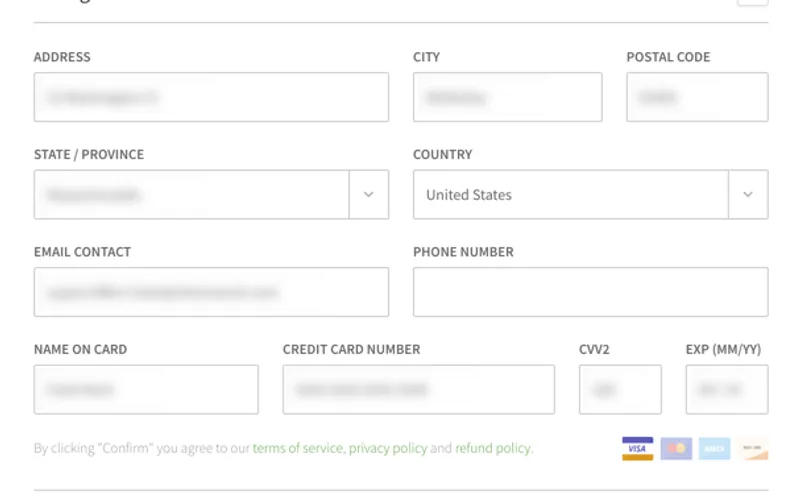
This is the most common banking concern. You completed the transfer in your bKash, Nagad, Rocket, or Upay app, your phone balance decreased, you submitted the TrxID, but your Takabet balance remains at zero.
Why This Happens
- Carrier API Latency: During peak evening hours (7:00 PM to 11:00 PM) or during major live cricket tournaments (BPL, IPL), MFS carrier servers experience high traffic. The automated payment gateway queries the bank's API, but the bank's server takes several minutes to confirm that the funds arrived.
- Premature Submission: You clicked "Submit" on Takabet before the carrier network finalized the internal transfer block.
The Step-by-Step Resolution
- Step 1: Wait 5 to 10 Minutes: In over 80% of cases, the delay is simply carrier queue latency. Allow ten minutes for the automated API handshake to complete naturally.
- Step 2: Check Your MFS Transaction Statement: Open your mobile banking app, navigate to "Statement" or "Transactions," and confirm that the funds were deducted and an official TrxID was generated.
- Step 3: Capture an Uncropped Screenshot: Take a clear, full-screen screenshot of the transaction receipt showing the Receiver Number, Amount, Date, Time, and TrxID.
- Step 4: Contact Takabet Live Chat: Open the 24/7 customer support widget on Takabet. Provide your username, the exact deposit amount, the TrxID, and the screenshot. A support agent will manually query the merchant bank records and credit your balance within minutes.
Scenario B: "Invalid Transaction ID" or "TrxID Already Used" Errors
When you paste your TrxID into the cashier and click Submit, the system immediately returns an error banner.
Root Causes
- Typographical Error: You accidentally typed an uppercase letter "O" instead of the number zero "0", or a lowercase "l" instead of the number one "1".
- Hidden Trailing Whitespace: When copying text on mobile devices, clipboards frequently grab an invisible blank space at the end of the code (e.g.,
"BJA4X89LKP "). The automated gateway treats that blank space as an invalid character. - Accidental Double-Submission: You tapped the submit button twice rapidly. The first tap registered the code; the second tap returned "Already Used."
The Step-by-Step Resolution
- Step 1: Clear the Input Box Completely: Delete everything in the Transaction ID input field.
- Step 2: Copy Freshly from Source: Return to your MFS app receipt. Use the digital copy icon next to the TrxID.
- Step 3: Paste and Backspace: Paste the code into the Takabet input box. Check the very end of the string; if there is a blank space, hit backspace once to remove it.
- Step 4: Check Wallet Balance: Refresh your Takabet page. If the error was caused by a rapid double-tap, your balance may have already updated. If it has not, escalate to Live Chat with your screenshot.
Scenario C: Sent Money to an Expired or Old Receiver Number
You saved a Takabet bKash or Nagad number in your phone contacts from last week, sent a transfer directly to that contact without checking the cashier, and now cannot get the deposit credited.
Why This Is Dangerous
Online gaming platforms rotate their receiver numbers continuously to manage central bank daily transaction thresholds, balance liquidity, and maintain operational security. Once a number is retired from the cashier, its automated API integration is disconnected.
The Step-by-Step Resolution
- Step 1: Do Not Panic: The retired number is still an official merchant or agent account managed by the platform's financial department. Your money is not lost.
- Step 2: Gather Complete Proof of Payment: Take an uncropped screenshot of your MFS transfer showing the old receiver number you sent to, the amount, the date, the time, and the TrxID.
- Step 3: Submit an "Offline Number" Ticket to Support: Open Live Chat immediately. State clearly:
- "I accidentally sent ৳3,000 to a previous receiver number (017XXXXXXXX) instead of the new active cashier number. Here is the TrxID and transfer screenshot."
- Step 4: Manual Accounting Reconciliation: A senior finance officer will log into the offline merchant wallet, verify that your funds arrived, and manually credit the Taka to your player profile. (Please allow 15 to 45 minutes for manual verification).
Scenario D: Withdrawal Marked as "Pending" Past the 45-Minute Window
You submitted a withdrawal request to your personal bKash, Nagad, or Rocket wallet, and more than 45 minutes have elapsed with the status still reading "Pending" or "Processing."
Root Causes
- Carrier MFS Account Limits: Your personal mobile wallet may have reached its daily or monthly receiving threshold set by Bangladesh Bank (typically ৳30,000 to ৳50,000 daily for personal accounts). When Takabet attempts to disburse the funds, the carrier network temporarily bounces or queues the transfer.
- Security & Turnover Audit: If you won a large sum or hit an unusual multiplier, risk teams may be conducting a routine gameplay audit to confirm that all bets conformed to fair-play rules.
- Banking Maintenance Windows: Commercial bank clearing networks (NPSB / BEFTN) frequently undergo scheduled maintenance between 12:00 AM and 3:00 AM.
The Step-by-Step Resolution
- Step 1: Check Your Personal MFS Wallet Capacity: Verify that your personal mobile wallet has sufficient remaining receiving limit to accept the incoming payout.
- Step 2: Check Your Notifications: Look inside your Takabet user inbox to ensure risk teams have not requested additional identity documents (KYC).
- Step 3: Inquire Politely with Finance: Contact Live Support with your Withdrawal Reference ID and request a status update on the disbursement queue.
Scenario E: Withdrawal "Rejected" Due to Incomplete Turnover
Your withdrawal was rejected by the system, and your funds were returned to your playable casino balance with a notification stating "Turnover Incomplete."
Why This Happens
- The 1x Anti-Money Laundering Rule: Under international gaming regulations, every deposit must be wagered through at least once (100% turnover) before withdrawal is permitted. If you deposit ৳3,000, you must place at least ৳3,000 in total cumulative bets across any game before cashing out.
- Active Promotional Bonus Wagering: If you claimed a deposit match bonus (such as a 100% welcome bonus with a 15x wagering requirement), your entire balance is locked until the required betting volume has been completely satisfied.
The Step-by-Step Resolution
- Step 1: Open Your Turnover Dashboard: Navigate to "My Account" -> "Turnover Record."
- Step 2: Identify Remaining Wagering: Check the exact remaining turnover amount in Taka.
- Step 3: Complete Playthrough on Eligible Games: Place qualifying bets on low-volatility slots like Fortune Gems or table games like Live Baccarat until the turnover bar reaches 100%. Once cleared, re-submit your withdrawal request.
The Pro Escalation Script: Contacting 24/7 Live Support
When escalating a payment issue to customer support, avoid vague messages like "Where is my money?" or "Deposit failed help me."
Customer support agents handle hundreds of inquiries simultaneously. Providing structured, complete information allows the agent to resolve your issue on the very first response without asking repetitive questions.
Use this Standard Payment Escalation Template:
+-------------------------------------------------------------------+
|               STANDARD PAYMENT ESCALATION TEMPLATE                |
+-------------------------------------------------------------------+
| Hello Support Team,                                               |
|                                                                   |
| * My Takabet Username   : [Insert Your Username]                  |
| * Transaction Type      : Deposit / Withdrawal                    |
| * Payment Gateway       : bKash / Nagad / Rocket / Upay / USDT    |
| * Exact Amount (BDT)    : ৳ [Insert Exact Amount]                 |
| * Sender Phone Number   : [Your Phone Number]                     |
| * Receiver Phone Number : [The Number Displayed in Cashier]       |
| * Transaction ID (TrxID): [Insert Exact Alphanumeric Code]        |
| * Timestamp of Transfer : [Insert Time & Date, e.g. 14:30 16/09]  |
|                                                                   |
| I have attached the full, uncropped transfer screenshot below.   |
| Please assist in verifying and crediting my account. Thank you!   |
+-------------------------------------------------------------------+
Pasting this structured message along with your clear screenshot guarantees your ticket moves straight to the finance desk for immediate manual crediting.
Critical Account Security Habits During Banking Disputes
When resolving payment discrepancies, protecting your personal financial credentials is paramount:
- NEVER Disclose Your 4-Digit or 5-Digit MFS PIN: Takabet customer service representatives will never ask for your personal bKash, Nagad, or Rocket PIN. If anyone in a chat window, Telegram group, or phone call asks for your PIN or One-Time Password (OTP), they are an impostor trying to steal your funds.
- Only Communicate via Official In-App Live Chat: Never seek payment assistance in public social media comments, Facebook groups, or unofficial WhatsApp numbers. Always use the secure Live Chat widget embedded directly inside the official Takabet Mobile App or website.
For detailed instructions on finding transaction codes, review our Master Guide to TrxID Verification.