
bKash Payment Guide for Casino Transactions in Bangladesh: Deposits, Withdrawals, and TrxID Verification
In the digital economy of Bangladesh, bKash is not merely a mobile financial service—it is the undisputed lifeblood of everyday commerce. Operated by BRAC Bank subsidiary bKash Limited, the platform serves over 70 million active accounts across the country. Whether sending money to family in rural districts, purchasing groceries at corner shops, or managing digital entertainment balances, bKash has established itself as the standard for instant, secure financial transactions.
For players on Takabet, bKash represents the primary gateway for funding accounts and withdrawing real-money winnings in Bangladeshi Taka (৳). However, because iGaming transactions require specific verification workflows—such as matching sender numbers, understanding Cash Out versus Send Money protocols, and correctly submitting 8-to-10-character Transaction IDs (TrxID)—navigating the cashier smoothly requires practical knowledge.
This comprehensive guide covers everything you need to know about using bKash on Takabet: step-by-step deposit instructions, withdrawal processing windows, fee structures, troubleshooting delayed transactions, and essential account security habits.
Why bKash Dominates Online Casino Banking in Bangladesh
The overwhelming popularity of bKash among Bangladeshi casino players stems from four practical advantages:
+-------------------------------------------------------------------+
|               KEY ADVANTAGES OF BKASH ON TAKABET                  |
+-------------------------------------------------------------------+
| 1. Universal Accessibility : Runs via mobile app or USSD (*247#)  |
| 2. Instant Settlement     : Deposits reflect in under 3 minutes   |
| 3. Native BDT Currency    : Zero foreign currency conversion fees |
| 4. Cryptographic TrxID    : Every transfer carries verifiable proof|
+-------------------------------------------------------------------+
- No International Credit Cards Required: Traditional Bangladeshi banking regulations place strict travel quota limits and documentation requirements on international Visa and Mastercard usage. bKash bypasses these hurdles entirely, allowing direct, domestic peer-to-peer transfers.
- Dual Operation (App and USSD): Whether you are using a high-end smartphone with high-speed Wi-Fi or an entry-level feature phone dialing
*247#on a 2G network, bKash functions with equal reliability. - Instant Wallet Crediting: When executed correctly with a valid TrxID, deposits on Takabet are processed by automated payment gateways within 60 to 180 seconds, ensuring you do not miss live betting odds or table seats.
Step-by-Step: Depositing Funds via bKash on Takabet
Follow these exact steps to ensure your bKash deposit is processed without delays or manual customer service interventions:
+-------------------------------------------------------------------+
|                  THE BKASH DEPOSIT WORKFLOW                       |
+-------------------------------------------------------------------+
| Step 1: Open Takabet Cashier -> Select bKash                      |
| Step 2: Note the Live bKash Agent or Personal Number Displayed     |
| Step 3: Open bKash App -> Choose 'Cash Out' or 'Send Money'        |
| Step 4: Transfer Exact BDT Amount & Enter bKash PIN               |
| Step 5: Copy 10-Character TrxID from bKash Confirmation Screen    |
| Step 6: Paste TrxID into Takabet Cashier -> Confirm Submission    |
+-------------------------------------------------------------------+
Step 1: Access the Takabet Cashier
Log in to your verified Takabet profile. Click the "Deposit" button situated in the top navigation bar. Select bKash from the list of available payment channels.
Step 2: Check the Current Receiver Number
Crucial Warning: Never send money to a bKash number saved from a previous transaction. Online gaming platforms regularly rotate their receiver numbers for liquidity balancing and account security.
- Look at the active number displayed on the screen.
- Note whether the cashier specifies Cash Out (Agent Number) or Send Money (Personal Number). Sending via the wrong transaction type will cause your transfer to fail or delay processing.
Step 3: Execute the Transfer in Your bKash App
Open your official bKash smartphone app (or dial *247#):
- If the cashier displayed an Agent Number, tap Cash Out.
- If the cashier displayed a Personal Number, tap Send Money.
- Paste the receiver number copied from Takabet.
- Enter the exact amount in Bangladeshi Taka you selected on the cashier screen (for instance, ৳1,000 or ৳5,000).
- Enter your secure 5-digit bKash PIN and tap and hold to confirm the transfer.
Step 4: Copy the Transaction ID (TrxID)
Once the transfer completes, bKash displays a confirmation receipt:
- Locate the alphanumeric code labeled TrxID (e.g.,
BJA4X89LKP). - Tap the copy icon next to the TrxID, or take a clear screenshot of the receipt for your personal records.
Step 5: Submit the TrxID on Takabet
Return to the Takabet deposit window:
- Paste the 10-character TrxID into the designated "Transaction ID" input field.
- Confirm that the sender bKash mobile number entered matches the number you sent from.
- Click Submit. Within 1 to 3 minutes, the payment gateway verifies the TrxID against the bKash API, and your gaming balance is credited automatically.
Step-by-Step: Withdrawing Casino Winnings to bKash
When you hit a winning streak on Super Ace or land a major cricket match prediction on BPL Odds, cashing out your winnings to your personal bKash wallet is fast and straightforward:
Step 1: Verify Account Prerequisites
Before submitting your first withdrawal request:
- Ensure your Takabet profile is verified with your personal name and mobile number.
- Ensure any active promotional wagering turnover requirements (e.g., deposit bonus playthroughs) have been 100% completed.
Step 2: Open the Withdrawal Cashier
Click on "Withdrawal" in your user profile menu. Select bKash as your receiving gateway.
Step 3: Enter Your bKash Personal Number and Amount
- Enter your 11-digit bKash personal mobile number (e.g.,
017XXXXXXXXor019XXXXXXXX). - Enter your desired withdrawal amount in Taka, ensuring it falls within the platform's daily withdrawal limits (typically ৳500 minimum to ৳50,000 maximum per transaction).
Step 4: Confirm and Await Wallet Crediting
Click "Confirm Withdrawal." Takabet's automated risk and cashier systems review the request.
- Standard Processing Time: Typically between 15 and 45 minutes.
- Once approved, the funds are sent directly to your bKash wallet via B2C (Business-to-Consumer) disbursement. You will receive an official SMS notification from bKash confirming the incoming cash transfer.
Understanding Fees and Transaction Limits
Transparency regarding transaction fees is vital for preserving your bankroll:
| Transaction Type | Takabet Service Fee | bKash Network Fee | Minimum Limit | Maximum Limit |
|---|---|---|---|---|
| bKash Deposit | 0% (Free) | Standard bKash transfer fee (if applicable) | ৳200 | ৳30,000 per transfer |
| bKash Withdrawal | 0% (Free) | Standard Cash Out fee upon cashing out at agent | ৳500 | ৳50,000 per transfer |
The bKash Cash-Out Fee at Physical Agents
While Takabet charges zero fees for depositing or withdrawing funds, remember that converting your digital bKash balance into physical cash at a local neighborhood agent carries standard bKash carrier fees:
- App Cash Out: 1.49% to 1.85% (depending on your designated Priyo Agent number).
- *USSD (247#) Cash Out: 1.85% (৳18.50 per ৳1,000 withdrawn).
To minimize personal banking costs, set your most frequented neighborhood bKash agent as your "Priyo Agent" inside the bKash app to enjoy the discounted 1.49% cash-out rate.
How to Avoid the Most Common bKash Payment Errors
Payment delays are almost always caused by minor user errors during transfer execution. Avoid these four common pitfalls:
+-------------------------------------------------------------------+
|               COMMON BKASH PAYMENT MISTAKES TO AVOID              |
+-------------------------------------------------------------------+
| 1. Confusing 'Send Money' with 'Cash Out'                         |
| 2. Re-using Old Receiver Numbers from Previous Days               |
| 3. Typing TrxID Manually Instead of Copy-Pasting (0 vs O errors)   |
| 4. Submitting a Deposit Form Before Completing the bKash Transfer  |
+-------------------------------------------------------------------+
Mistake 1: Confusing Send Money and Cash Out
If the cashier specifies an Agent Number, you must use the "Cash Out" function in your bKash app. If you attempt to use "Send Money" to an agent number, bKash will reject the transfer. Conversely, sending "Cash Out" to a personal number will fail. Always check the cashier label carefully before sending.
Mistake 2: Reusing Old Receiver Numbers
Never save a Takabet bKash number in your phone contacts for future use. Receiver numbers are dynamic and rotate frequently. Always open the cashier and copy the freshly displayed number immediately prior to making your transfer.
Mistake 3: Manual TrxID Typographical Errors
Transaction IDs are random 10-character alphanumeric strings combining uppercase letters and numbers (e.g., BKB78M92Q1).
- Typing them manually often leads to errors: confusing the number zero (
0) with the letterO, or the number one (1) with the letterI. - A single incorrect character will cause the automated verification gateway to reject the transaction.
- Always use the copy icon on your bKash confirmation screen to paste the TrxID directly into Takabet.
What to Do If Your bKash Deposit Is Delayed
If you completed your bKash transfer, submitted your TrxID, and more than 15 minutes have passed without your Takabet balance updating:
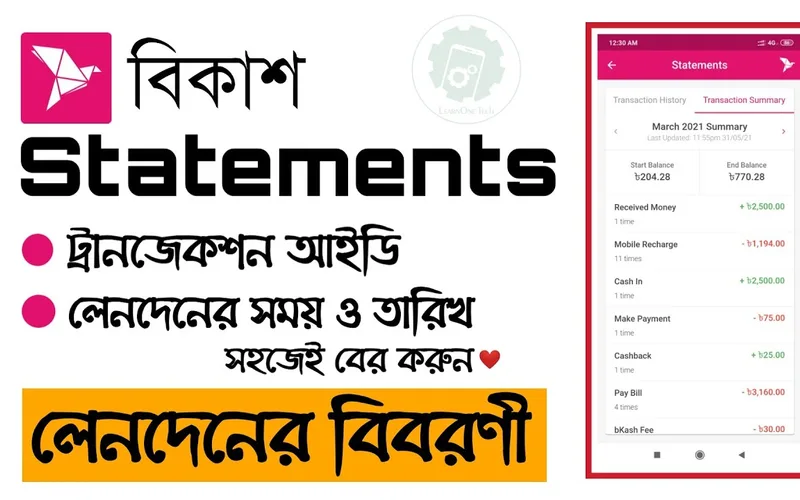
- Step 1: Check Your bKash Statement: Open your bKash app, go to "Statement," and verify that the money was actually deducted from your wallet and that a valid TrxID was generated.
- Step 2: Take a Full Screenshot: Capture a clear, uncropped screenshot of the transaction receipt showing the Receiver Number, Amount, Date, Time, and TrxID.
- Step 3: Contact Takabet Live Chat: Open the 24/7 customer support widget on Takabet. Provide your player username, the exact deposit amount, the TrxID, and the screenshot. Support agents will cross-reference the bank logs and manually credit your account in minutes.
Review our complete troubleshooting manual on Payment Issues and Failed TrxID Resolution for deeper remediation steps.
Security Best Practices for Bangladeshi Players
Protecting your mobile financial account is just as important as managing your casino bankroll:
- Never Share Your bKash PIN: Takabet customer support agents will never ask for your personal 5-digit bKash PIN or one-time verification codes (OTP). Anyone asking for your PIN is an impostor.
- Enable Biometric Security: Use fingerprint or facial recognition login on your bKash smartphone app to prevent unauthorized access if your phone is misplaced.
- Use Dedicated Personal SIM Cards: Always register your bKash account on a SIM card registered under your own National Identity Card (NID) to ensure you retain full legal ownership and recovery capabilities.
For an alternative mobile banking method with identical reliability, explore our Nagad Payment Guide for Bangladesh.