
Master Guide to TrxID Verification: Locating, Copying, and Validating Transaction IDs in Bangladesh
In the fast-moving world of online casino entertainment, nothing is more frustrating than completing a deposit from your mobile wallet, only to have the automated cashier display an error: "Invalid Transaction ID" or "TrxID Already Claimed."
Across Bangladesh's digital gaming landscape, the Transaction ID (TrxID)—sometimes referred to as TxnID, Ref ID, or TxHash—is the single most vital piece of cryptographic evidence linking your real-money mobile financial transfer to your Takabet player balance. It is the automated bridge that proves money physically left your personal bKash, Nagad, Rocket, or Upay wallet and arrived safely in the casino's verified merchant gateway.
When entered correctly, your TrxID allows automated banking algorithms to credit your account in under sixty seconds. When mistyped or misunderstood, it leads to avoidable delays and manual customer support reviews. This comprehensive visual guide teaches you exactly where to find your TrxID across every major Bangladeshi payment network, how to copy and submit it without errors, and what to do if a code is ever rejected.
What Exactly Is a TrxID and Why Does It Matter?
A Transaction ID is a unique, permanently recorded alphanumeric string generated by a financial network's central server the exact millisecond a monetary transfer is finalized:
+-------------------------------------------------------------------+
|               ANATOMY OF A TRANSACTION ID (TRXID)                |
+-------------------------------------------------------------------+
| Example: B K A 4 X 8 9 L K P                                      |
| * Network Prefix : Identifies carrier gateway (e.g., 'BK' = bKash)|
| * Batch & Date   : Encodes server cluster and processing timestamp|
| * Unique String  : One-of-a-kind mathematical identifier          |
+-------------------------------------------------------------------+
Why Online Casinos Require Your TrxID
In a high-volume platform like Takabet, hundreds of Bangladeshi players deposit identical sums (such as ৳1,000 or ৳2,000) every single hour.
- If the casino only looked at the incoming amount, it would be impossible to determine which specific ৳1,000 transfer belonged to you versus another player.
- The TrxID is completely unique to your specific transaction.
- When you submit your TrxID in the Takabet cashier, the automated payment gateway queries the MFS carrier's application programming interface (API) in real time:
- Did Receiver Number X receive ৳1,000 with TrxID BKA4X89LKP from Sender Number Y?
- If the API returns YES, the system approves the deposit instantly, crediting your Taka balance automatically without requiring human intervention!
Where to Find Your TrxID Across Major Bangladeshi Networks
Different mobile financial providers format, label, and display their transaction identifiers differently. Here is where to locate your TrxID across each platform:
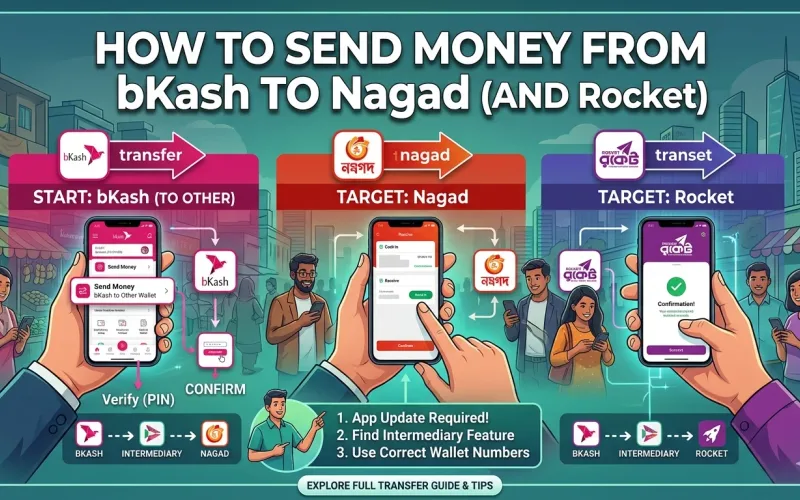
bKash: Locating Your 10-Character TrxID
bKash transaction IDs are typically 10 alphanumeric characters combining uppercase letters and numbers (e.g., BJA79K82LP).
You can locate your bKash TrxID in three places:
- The Confirmation Screen: Immediately after confirming your "Send Money" or "Cash Out" transfer by tapping and holding the bKash icon, the digital receipt displays the TrxID in bold text just below the transaction amount.
- The Carrier SMS: Within seconds of completing the transfer, bKash sends an official SMS notification to your phone:
- “Cash Out Tk 1,000.00 to 017XXXXXXXX successful. Fee Tk 18.50. Balance Tk 4,200.00. TrxID BJA79K82LP at 14:25 15/09/2026.”
- The bKash App Statement: If you accidentally closed the confirmation screen without copying:
- Open your bKash app.
- Tap Inbox at the top-right corner, then select Transactions.
- Tap on the specific transfer you sent to Takabet. The full receipt will open, allowing you to copy the TrxID directly.
Nagad: Locating Your 8-Character TrxID
Nagad transaction IDs are typically 8 alphanumeric characters (e.g., 71X9MK4B).
You can locate your Nagad TrxID in three places:
- The Digital Success Screen: As soon as you confirm the transfer, the green confirmation screen displays your TrxID prominently in the center.
- The Nagad SMS Notification: An official carrier text message is delivered immediately:
- “Cash Out Successful. Receiver: 018XXXXXXXX, Amount: Tk 2,000.00, Fee: Tk 29.88, TxnID: 71X9MK4B, Balance: Tk 8,500.00.”
- The Nagad App History:
- Open your Nagad app and tap Transactions on the bottom navigation bar.
- Select the relevant transfer from the chronological statement to view and copy the 8-character code.
Rocket (Dutch-Bangla Bank): Locating Your 9-to-11 Digit TxnID
Rocket transaction identifiers are typically numeric or alphanumeric strings labeled as TxnID or TrxID (e.g., 2894109841 or RKT78921B).
You can find your Rocket transaction ID in:
- The Rocket App Confirmation Receipt: Generated immediately upon successful PIN confirmation.
- The DBBL SMS Alert: Delivered to your registered mobile number:
- “Txn Successful. Cash Out Tk 3,000.00 to 017XXXXXXXXX. Fee Tk 27.00. Balance Tk 12,400.00. TxnID: 2894109841.”
- Rocket Mini-Statement via USSD: If using a basic feature phone, dial
*322#, navigate to "My Account," and select "Mini Statement" to retrieve your most recent transaction codes.
Upay (UCB): Locating Your 8-to-10 Character TrxID
Upay transaction receipts clearly display a TrxID code:
- The Upay Digital Receipt: Displayed on your smartphone screen immediately following confirmation.
- The Carrier SMS: Sent directly from the sender ID "upay":
- “You have successfully sent Tk 1,500.00 to 019XXXXXXXX. TrxID: UPY7921K8M.”
- The Upay Statement Tab: Available within the app under the "Statement" menu.
Cryptocurrency (USDT): Locating Your 64-Character TxHash
If you deposit via Tether (USDT) on the Tron (TRC-20) or Binance Smart Chain (BEP-20) network:
- The transaction identifier is called a TxHash (Transaction Hash).
- It is a 64-character hexadecimal string (e.g.,
f7a8b9c1d2e3f4...). - You can find it in your exchange (Binance, Bybit) or private wallet (Trust Wallet) under Withdrawal History -> Transaction Details -> TxID / TxHash.
Step-by-Step: Submitting Your TrxID in Takabet's Cashier
Follow this exact workflow to ensure automated validation:
+-------------------------------------------------------------------+
|               TRXID SUBMISSION LIFECYCLE ON TAKABET               |
+-------------------------------------------------------------------+
| 1. Execute Transfer in MFS App (bKash, Nagad, Rocket, or Upay)    |
| 2. Copy TrxID Directly from Confirmation Receipt (Do Not Re-type) |
| 3. Switch to Takabet Cashier Window                               |
| 4. Paste TrxID into "Transaction ID" Input Field                  |
| 5. Verify That Sender Phone Number Is Entered Correctly           |
| 6. Click "Confirm Deposit" -> Automated Crediting in 60 Seconds!  |
+-------------------------------------------------------------------+
The Copy-Paste Mandate
Never attempt to memorize and manually type your TrxID character by character:
- Smartphone keyboards frequently auto-capitalize or auto-correct alphanumeric strings.
- Many characters look nearly identical in standard mobile system fonts:
- Capital letter "O" vs Number zero "0"
- Capital letter "I" vs Lowercase "l" vs Number one "1"
- A single mismatched character will cause the automated API check to fail immediately.
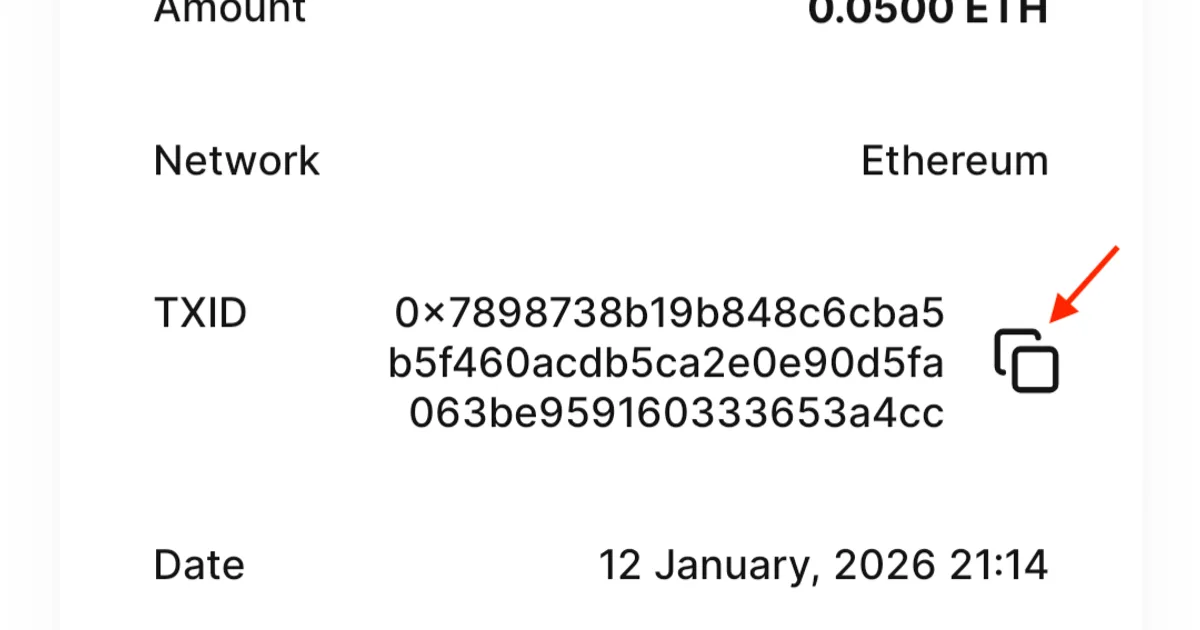
- Always use the built-in copy icon on your MFS confirmation screen, or long-press the SMS text to copy the exact code to your clipboard.
Common TrxID Errors and How to Solve Them
If the Takabet cashier returns an error message when you submit your TrxID, refer to this troubleshooting table:
| Error Message | Root Cause | Immediate Solution |
|---|---|---|
| "Invalid Transaction ID" | Typographical error in the code, or the code was copied from an unrelated transfer. | Check your MFS statement, copy the exact code again, and paste carefully. Verify you didn't include extra trailing spaces. |
| "TrxID Already Claimed" | The TrxID was previously submitted, or entered twice rapidly. | Check your Takabet balance. If funds did not credit, contact Live Chat with a screenshot of the original transfer receipt. |
| "Transaction Not Found" | You submitted the deposit form on Takabet before the MFS network finalized the transfer. | Wait 60 seconds for carrier servers to register the transfer, then re-submit the TrxID. |
| "Amount Mismatch" | You selected ৳1,000 on the Takabet cashier, but sent ৳980 or ৳1,020 in your MFS app. | The cashier amount must match the MFS transfer amount down to the exact Taka. Contact Live Chat for manual adjustment. |
Essential Best Practices for Transaction Safety
Protecting your financial transaction records ensures you are always prepared in the event of a banking dispute:
- Always Take a Screenshot of Every Receipt: Before closing your bKash or Nagad confirmation screen, take a full-screen screenshot showing the Receiver Number, Amount, Date, Time, and TrxID. Store these screenshots in your phone gallery until your Takabet balance is credited.
- Never Share Your TrxID with Other Players: A TrxID is unique proof of payment. Never post screenshots containing your TrxID in public WhatsApp, Telegram, or Facebook groups before your deposit has been credited. If an unscrupulous user copies your TrxID and submits it to their own account before you do, it will complicate your verification process.
- Never Reuse a TrxID: Each TrxID can only be used once. Attempting to submit the same transaction ID across multiple deposit requests will flag your account for automated review.
For broader payment guidance, explore our comprehensive bKash Payment Guide and Nagad Payment Guide.